
The Small Business Guide to Rolling Out AI Without Blowing the Budget
JM
Every vendor pitching AI to small business owners has the same slide: "AI levels the playing field." True, but only if you don't torch your margin figuring out which tool actually does that. Most small businesses I talk to are stuck between two bad options: paying for five overlapping subscriptions nobody fully uses, or doing nothing and watching a leaner competitor eat their lunch. Neither is a strategy. Here's an actual one.

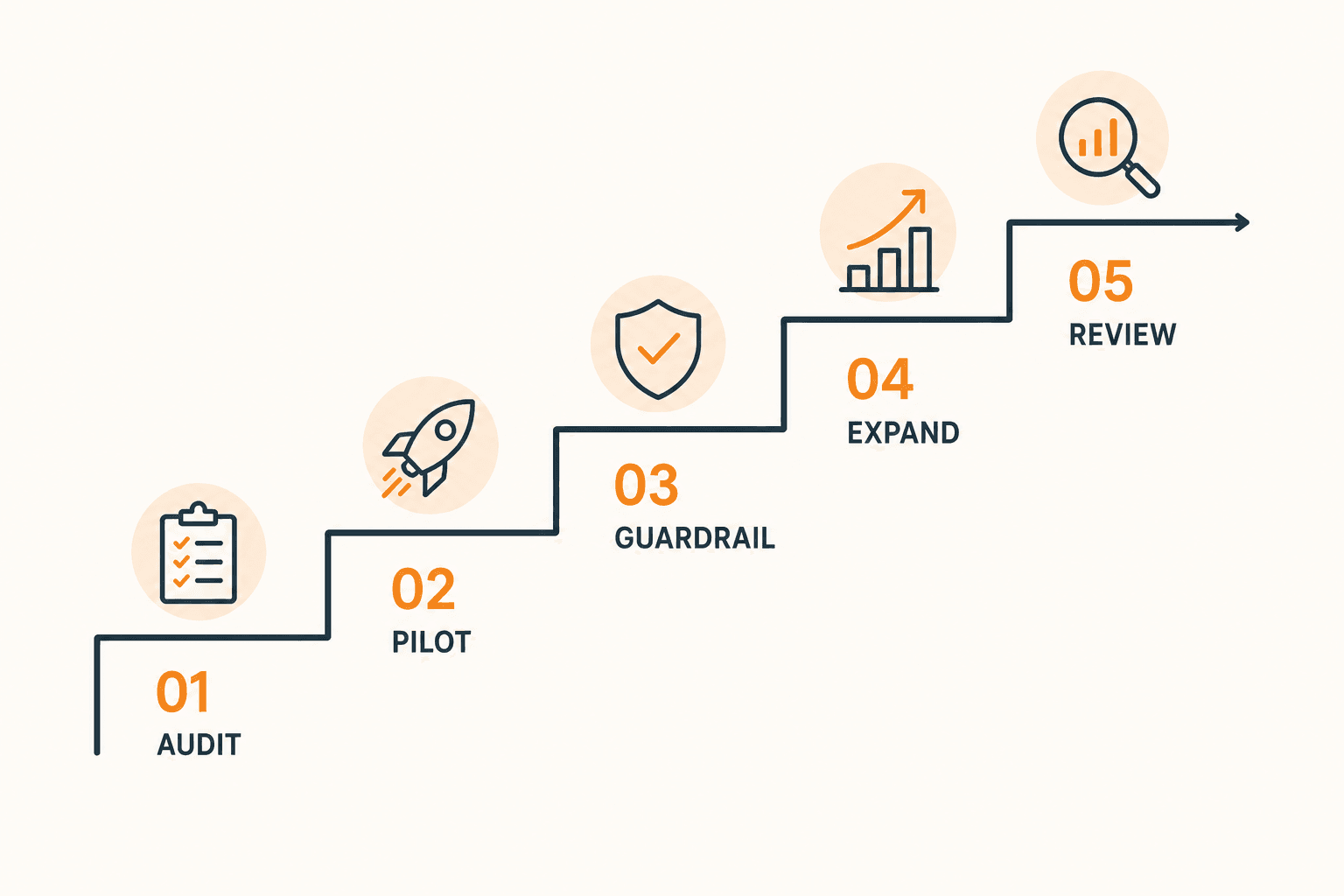
Step 1: Audit What's Actually Eating Your Team's Time
Don't buy a tool yet. Before anything else, track where the repetitive hours go for two weeks: invoice chasing, email drafting, appointment scheduling, social content, customer support replies, bookkeeping reconciliation. Write it down. If you can't name three specific repeated tasks, you're not ready to roll out AI, you're ready to waste money on it.
Step 2: Pick One Core Assistant, Not Five
The biggest mistake small businesses make is stacking a general chatbot, a CRM's built-in AI, an automation platform, and a writing assistant simultaneously, then wondering why nobody on the team knows which tool to open for what. Pick one general-purpose assistant as the company-wide default first. Layer in specialists later, only where there's a proven gap.
Step 3: Match the Tool to Where Your Business Already Lives
This is the part vendors gloss over. The right tool depends entirely on what you're already paying for.
- If your business runs on QuickBooks, PayPal, HubSpot, Canva, DocuSign, Google Workspace, or Microsoft 365, look at Claude for Small Business first. Anthropic launched this in May 2026 as a feature inside Claude Cowork, not a new subscription tier. It's a toggle install that puts Claude to work inside the tools small business owners already use. The pricing story is genuinely rare in this space: it's included at no extra cost on top of any Claude Pro, Max, or Team plan, so a 15-person team on Team Standard runs about $3,600 a year total, with fifteen prebuilt workflows covering things like payroll forecasting reconciled across QuickBooks and PayPal, monthly close packets, invoice chasing, lead triage, and contract review.
- If your business already runs on Microsoft 365, Copilot has real pull because it reads your actual tenant data inside Word, Excel, Outlook, and Teams. But budget carefully: the Business tier runs $18 to $21 per user per month promotionally, on top of the Microsoft 365 license you already need, and with the July 2026 base-suite price hikes, the true all-in enterprise cost lands at $69 to $90 per seat per month once you include a qualifying M365 plan. That's not a rounding error for a five-person shop.
- If you're Google Workspace-based, Gemini's business tier runs in a similar range, roughly $14 to $30 per user per month as an add-on.
- If you have no existing platform lock-in and just need a flexible general assistant, ChatGPT Team runs $25 to $30 per user with no required base license, which makes it the more honest standalone price versus Copilot's hidden base-suite dependency.
- For pure workflow automation and repetitive task-chaining (form submissions into spreadsheets, welcome emails, follow-up tasks), a layer like Zapier or Make sits underneath whichever assistant you pick. Budget $50 to $100 a month for that piece; it's a low bar for what it returns.

Step 4: Pilot With One Team, Not the Whole Company
Roll it out to the team with the clearest repetitive-task problem first, usually ops, bookkeeping, or customer support. Two to three weeks. Measure actual hours saved, not vibes. The real question before you scale further: can you test value with a small group before rolling it out company-wide, does the tool reach the files and records it actually needs, and can your team approve important outputs before they go to customers. That last one matters more than any benchmark. An AI tool that drafts an invoice-chasing email is useful. One that sends it unsupervised to a client who's already annoyed is a liability.
Step 5: Set the Guardrail Before Day One, Not After a Mistake
Enterprise-grade platforms prioritize security and data privacy, but businesses should be cautious with free, public AI tools and avoid feeding them sensitive or proprietary information. Write a one-page policy: what data goes in, what requires human sign-off before it goes out, who owns the subscription. This takes twenty minutes and prevents the one mistake that makes an owner swear off AI entirely after a bad first experience.
Step 6: Expand Only Where the Pilot Proved ROI
Once the pilot team shows measurable time saved, roll out to the next function. Not everyone at once. Different teams genuinely need different tools, a single company-wide license rarely solves every workflow, but the core assistant from Step 2 should cover 70% of what most people need.
So What's the Best Tool?
If you're pushing me for one answer instead of a decision tree: for most small businesses already using standard SMB software, Claude for Small Business is currently the strongest cost-to-capability ratio on the market. It's not a new bill, it doesn't require a base platform license the way Copilot does, and it comes pre-wired with workflows built around the actual back-office pain points small businesses have, not generic chat. Microsoft 365 Copilot is the right call only if you're already deep in the Microsoft ecosystem and the hidden base-suite cost doesn't spook you. ChatGPT Team is the right call if you have no platform lock-in and want maximum flexibility. Everything else is a specialist tool you add after the core assistant proves its worth.
Why This Matters, and Why You Should Talk to Dev Cabin Technologies
Here's the uncomfortable truth about everything above: reading a comparison table is not the same as having a rollout that actually works inside your business. The tools are cheaper and more capable than they've ever been. The failure point isn't the technology anymore, it's the implementation. Most small businesses that try to do this themselves end up with one of three outcomes: a $20/month subscription nobody on the team actually opens, a security incident because nobody set a guardrail policy, or six months lost figuring out which of ten overlapping tools to keep.
That's the gap Dev Cabin Technologies exists to close. I'm not selling you a subscription. I'm doing the audit in Step 1, picking the right tool for your actual stack in Step 3, running the pilot in Step 4, and writing the guardrail policy in Step 5, so you get the ROI without spending three months learning it the hard way. If you're a small business owner or entrepreneur who read this guide and thought "I know I need to do this but I don't have the time to figure it out correctly," that's the exact problem I solve. Reach out and let's scope your rollout.